
In today’s competitive business world, having effective sales and marketing services is essential, whether you’re running a startup, expanding a small business, or launching a new product. The foundation of every successful growth strategy begins with choosing the right sales and marketing partner.
But with so many services available, how do you know which one best fits your unique business needs? To help you decide, we’ve identified the top 10 sales and marketing services, focusing on what matters most to you.
Our research evaluates factors such as affordability, expertise, customer support, innovation, results-driven strategies, ease of collaboration, and reliability. This guide will help you find the best sales and marketing solution that aligns perfectly with your business goals.
Our Top 10 Best Sales and Marketing tools:
- SEMRush – Best for SEO and marketing analytics
- Mailchimp – Best email marketing tool
- Canva – Best graphic design for marketing
- HubSpot – Best CRM and marketing automation
- Apollo.io – Best B2B sales intelligence
- Loom – Best video messaging and screen recording (with affiliate program)
- Trello – Best project management
- Hootsuite – Best social media management
- Buffer – Best simple social scheduling
- Typeform – Best interactive forms and surveys
1. SemrUSH

Price per month
Starting at $139.95/month for the Pro plan (billed monthly)
Annual billing reduces the cost to about $117.33/month (17% discount)
Money-back guarantee
7-day free trial available
Plans and Pricing
- Pro Plan: $139.95/month (best for freelancers, bloggers, and small teams)
- Guru Plan: $249.95/month (best for growing businesses and content marketers)
- Business Plan: $499.95/month (best for large agencies and enterprises)
What Semrush Offers:
Semrush is a powerful all-in-one SEO and digital marketing platform. It provides extensive tools for keyword research, domain analysis, backlink tracking, site audits, rank tracking, PPC data insights, and content marketing. It’s designed to help businesses improve their search engine rankings, optimize their content, and manage online advertising campaigns effectively.
Why Choose Semrush:
Semrush is ideal for businesses and marketers who want a comprehensive platform with deep data and analytics. The platform offers an intuitive interface and rich features that support everything from SEO beginners to experts managing large campaigns.
Our Experience:
Semrush has proven to be an industry leader with robust features and reliable data. The user interface is clean and easy to navigate. Customer support is responsive, and the platform continually updates to include new marketing tools. Although the pricing is higher compared to some competitors, the value provided for SEO and digital marketing professionals justifies the investment.
Pros
- Extensive SEO and marketing tools in one platform
- Powerful keyword and backlink research capabilities
- Comprehensive site audit and rank tracking features
- User-friendly interface suitable for beginners and experts
- Flexible plans for different business sizes
Cons
- Pricing is relatively high, especially for small businesses or individuals
- Single-user access per plan may limit team collaboration
- Some advanced features and add-ons require additional payment
- Primarily focused on Google data, less data from other search engines
Read SEMRush Review→
2. Mailchimp
Price per month
Starting at $13/month for the Essentials plan (500 contacts)
Free Plan available with up to 500 contacts and 1,000 monthly sends
Money-back guarantee
7-day free trial available
Overview
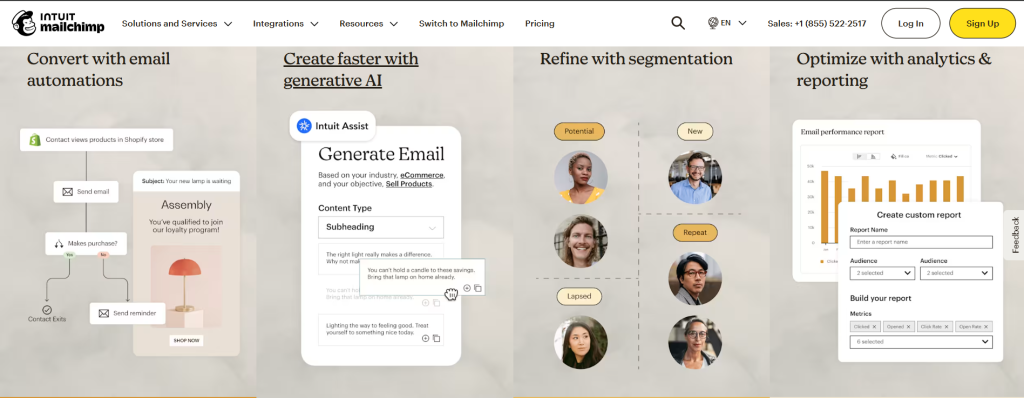
Mailchimp is a leading email marketing platform with over 12 million users worldwide. It offers a range of features including email creation, marketing automation, lead generation, and reporting tools. While it provides a comprehensive suite of tools, some users have noted that its pricing can be on the higher side, especially for small businesses or startups.
Why Choose Mailchimp
Mailchimp is ideal for businesses seeking an all-in-one marketing platform with robust features. Its user-friendly interface and extensive integrations make it a popular choice among marketers. However, it’s essential to consider the pricing structure to ensure it aligns with your budget and needs.
Our Experience
Our experience with Mailchimp has been positive, highlighting its ease of use and comprehensive feature set. The platform’s intuitive design allows for quick campaign creation and management. Customer support is responsive, and the platform continually updates to include new marketing tools. However, the pricing structure can become expensive as your contact list grows, which may be a consideration for businesses with large audiences.
Pros
- Extensive feature set including automation and analytics
- User-friendly interface suitable for beginners
- Wide range of integrations with other platforms
- Reliable customer support
Cons
- Pricing can be higher compared to some competitors
- Limited features in the free plan
- Some users report issues with email deliverability
- Customer support can be slow during peak times
Read Mailchimp Review→
3. CANVA
Price per month
Starting at $0/month for the Free plan
Pro Plan: $12.99/month
Enterprise Plan: Custom pricing
Money-back guarantee
30-day free trial for Pro and Enterprise plans
Overview
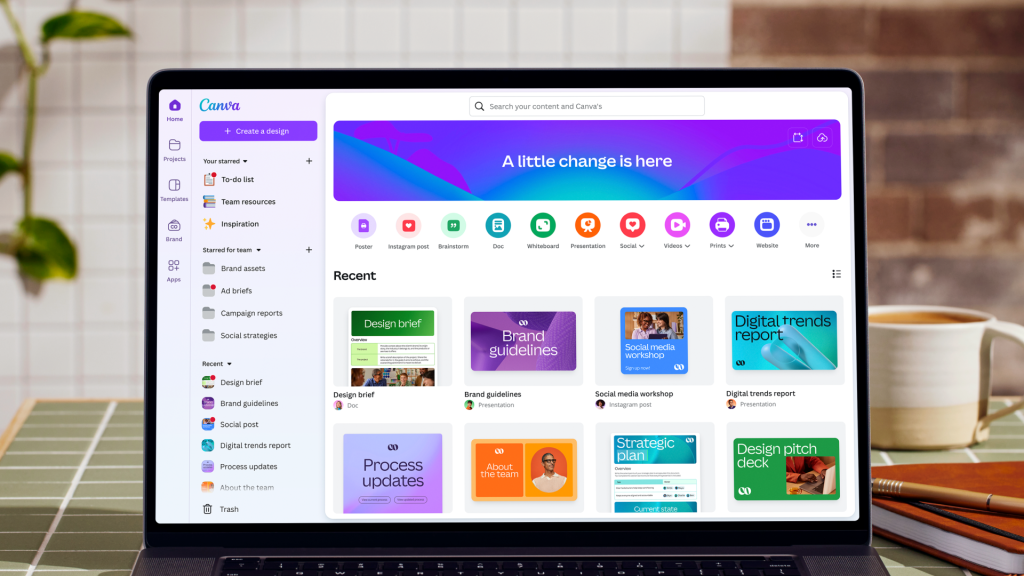
Canva is a user-friendly graphic design platform that enables users to create a wide range of visual content without requiring advanced design skills. Since its launch in 2013, Canva has grown to over 240 million monthly active users across more than 190 countries. It offers a vast library of templates, images, and AI-powered tools to assist in the design process.
Why Choose Canva
Canva is ideal for individuals, small businesses, and teams looking for an accessible and efficient design tool. Its intuitive interface and extensive resources make it suitable for creating social media graphics, presentations, marketing materials, and more. The platform’s collaborative features also facilitate teamwork, making it a versatile choice for various design needs.
Our Experience
Our experience with Canva has been positive, highlighting its ease of use and comprehensive feature set. The drag-and-drop editor simplifies the design process, while the vast template library accelerates content creation. The AI tools, such as Magic Media and Brand Voice, enhance creativity and consistency. Customer support is responsive, and the platform continually updates to include new features and improvements.
Pros
- Extensive library of templates and design elements
- User-friendly interface suitable for beginners
- AI-powered tools for enhanced creativity
- Collaborative features for team projects
- Flexible pricing plans to accommodate different needs
Cons
- Some advanced features are limited to Pro and Enterprise plans
- Free plan has restrictions on certain resources and functionalities
- Requires an internet connection for full functionality
- Limited offline capabilities
Read Canva Review→
4. Hubspot
Price per month
Starting at $0/month for the Free plan
Starter Plan: $20/month
Professional Plan: $500/month
Enterprise Plan: $1,200/month
Money-back guarantee
30-day free trial for paid plans
Overview
HubSpot CRM is a robust, user-friendly platform designed to help businesses manage and analyze customer interactions and data. It offers a comprehensive suite of tools for sales, marketing, and customer service teams, aiming to improve customer relationships and streamline processes.
Why Choose HubSpot CRM
HubSpot CRM is ideal for small to medium-sized businesses seeking an all-in-one solution for managing customer relationships. Its intuitive interface, scalability, and integration capabilities make it a popular choice among various industries. The free plan offers substantial features, making it accessible for startups and growing businesses.
Our Experience
Our experience with HubSpot CRM has been positive, highlighting its ease of use and comprehensive feature set. The platform’s intuitive design allows for quick onboarding and efficient management of customer data. Customer support is responsive, and the platform continually updates to include new features and improvements.
Pros
- Generous free plan with up to 1 million contacts and unlimited users
- User-friendly interface suitable for beginners
- Extensive integration options with other tools
- Comprehensive suite of tools for sales, marketing, and customer service
- Scalable plans to accommodate business growth
Cons
- Advanced features may require higher-tier plans
- Some users may find the pricing for premium plans higher compared to competitors
- Limited customization options in the free plan
- Reporting capabilities may require higher-tier plans for advanced analytics
Read HubSpot Review→
5. Apollo.io
Price per month
Free Plan: $0/month
Includes 10,000 email credits per month for users with a verified corporate domain.
Basic Plan: $59/month per user (or $49/month with annual billing)
Professional Plan: $99/month per user (or $79/month with annual billing)
Organization Plan: $149/month per user (or $119/month with annual billing)
Money-back guarantee
30-day free trial available for paid plans.
Overview
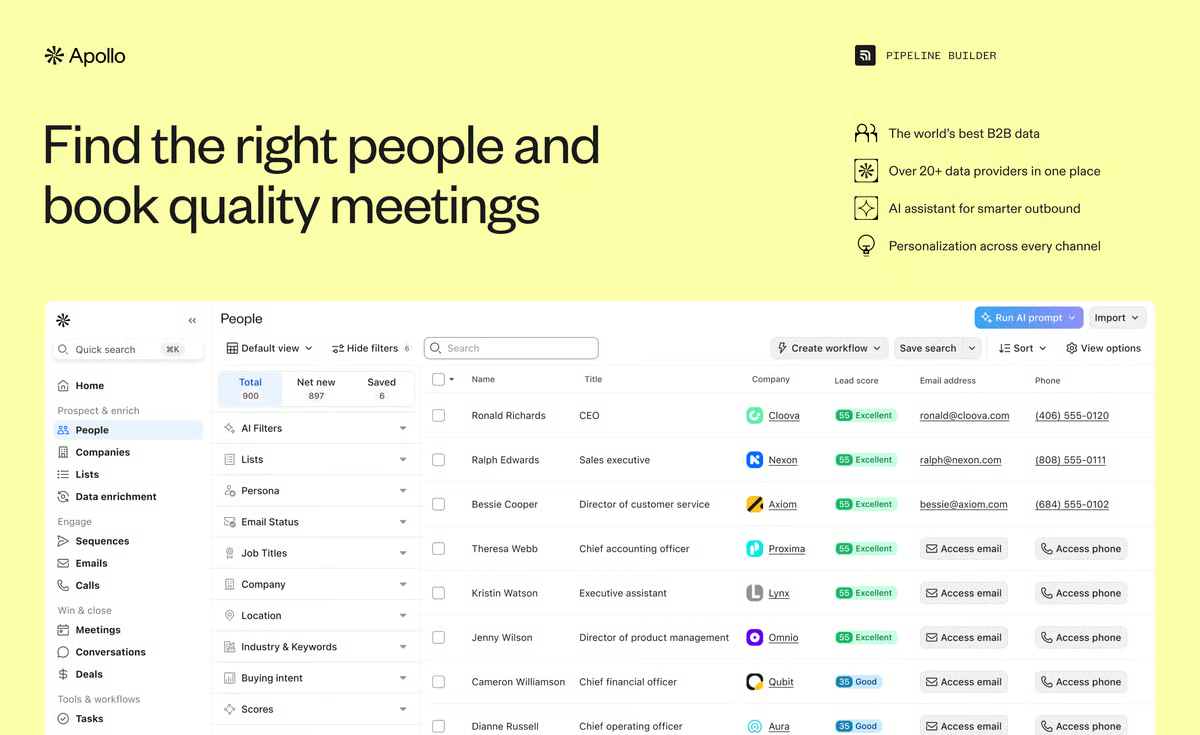
Apollo.io is a comprehensive B2B sales intelligence and engagement platform designed to help businesses find, connect with, and manage leads effectively. It provides a vast database of contacts and companies, allowing streamlined outreach through automated email sequences, CRM integrations, and real-time data enrichment.
Why Choose Apollo.io
Apollo.io is ideal for sales teams and marketers looking for an all-in-one solution for lead generation and outreach. Its extensive database, automation tools, and CRM integrations make it powerful for enhancing sales processes.
Our Experience
Our experience with Apollo.io has been positive. The platform is user-friendly with a robust feature set, quick onboarding, and efficient outreach management. Customer support is responsive and regularly updates the platform with new features.
Pros
- Extensive database with over 275 million contacts
- Advanced search filters for targeted lead generation
- Automated email sequences and CRM integrations
- Real-time data enrichment for data accuracy
- User-friendly interface for beginners and experts
Cons
- Data may sometimes lag behind direct LinkedIn scraping tools
- Occasional CRM synchronization issues reported
- Higher-tier plans might be expensive for small businesses
- Advanced features limited to premium plans
Read Apollo.io Review→
6. LOOM

Price per month
- Free Plan: $0/month
Includes essential video recording and sharing features with limited storage and basic editing tools. - Business Plan: $8/month per creator (billed annually)
Includes unlimited video creation, enhanced editing, custom branding, and viewer insights. - Enterprise Plan: Custom pricing
Includes advanced security, compliance features, dedicated support, and team collaboration tools.
Money-back guarantee
30-day free trial available for paid plans.
Overview
Loom is a video messaging and screen recording platform designed to help teams communicate asynchronously. It enables users to record their screen, voice, and face simultaneously to create quick, clear videos for presentations, tutorials, or updates.
Why Choose Loom
Loom is ideal for remote teams and professionals seeking an easy way to share ideas and feedback without lengthy meetings. Its intuitive interface and quick sharing options make communication more effective and engaging.
Our Experience
Our experience with Loom has been very positive. The platform is simple to use and helps reduce the need for lengthy meetings by enabling quick video messages. The video quality and editing tools are suitable for most business use cases.
Pros
- Easy to record and share videos quickly
- Combines webcam and screen recording seamlessly
- Useful integrations with other productivity tools
- Enhances remote team communication and collaboration
Cons
- Basic video editing capabilities
- Some users report occasional lag or loading delays
- Advanced features require paid plans
Read Loom Review→
7. Trello
Price per month
Enterprise Plan: Custom pricing
Includes advanced security features and enterprise-grade controls.
Free Plan: $0/month
Includes unlimited personal boards, cards, and lists.
Standard Plan: $5/user/month
Includes unlimited boards, advanced checklists, and custom fields.
Premium Plan: $10/user/month
Includes timeline view, dashboard view, and workspace views.
Money-back guarantee
30-day free trial available for paid plans.
Overview
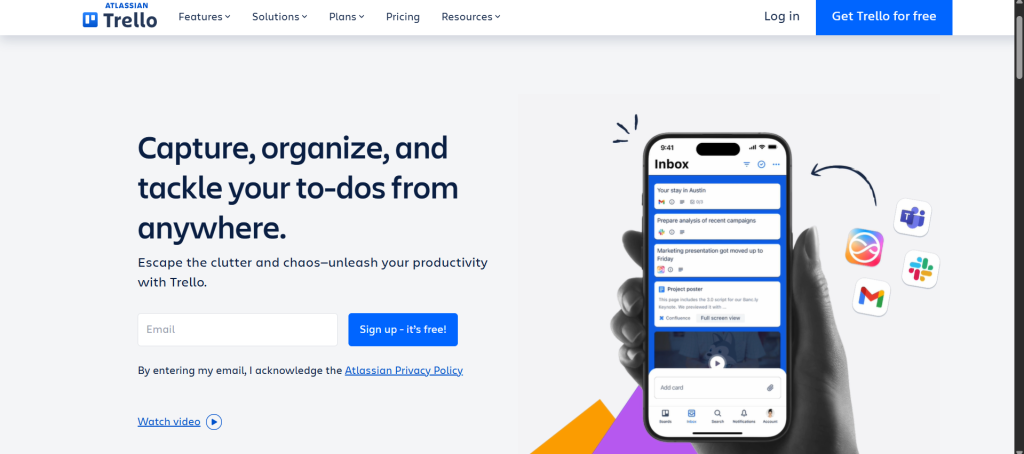
Trello is a visual project management tool that uses boards, lists, and cards to organize tasks and projects. It’s widely used by teams for its simplicity and flexibility in managing workflows.
Why Choose Trello
Trello is ideal for teams seeking a straightforward, visual approach to project management without the complexity of traditional project management software. Its intuitive interface and customizable features make it suitable for various use cases.
Our Experience
Our experience with Trello has been positive. The platform is user-friendly, and its visual layout makes tracking tasks and progress straightforward. However, for larger teams or more complex projects, additional features may be needed.
Pros
- Intuitive drag-and-drop interface
- Highly customizable boards and cards
- Extensive integration options with other tools
- Suitable for both small teams and individual users
Cons
- Limited advanced project management features
- Can become cluttered with large teams or complex projects
- Some users may find the free plan restrictive
Read Trello Review→
8. HOOTSUITE
Price per month
- Free Plan: $0/month
Includes 1 user, 2 social accounts, and 5 scheduled messages. - Professional Plan: $19/month
Includes 1 user, 10 social accounts, unlimited scheduling, and analytics. - Team Plan: $99/month
Includes 3 users, 20 social accounts, team collaboration tools, and reporting. - Business Plan: $599/month
Includes 5 users, 35 social accounts, advanced analytics, and approval workflows. - Enterprise Plan: Custom pricing
Includes 10+ users, unlimited social accounts, dedicated support, and custom solutions.
Money-back guarantee
- 30-day free trial available for paid plans.
Overview
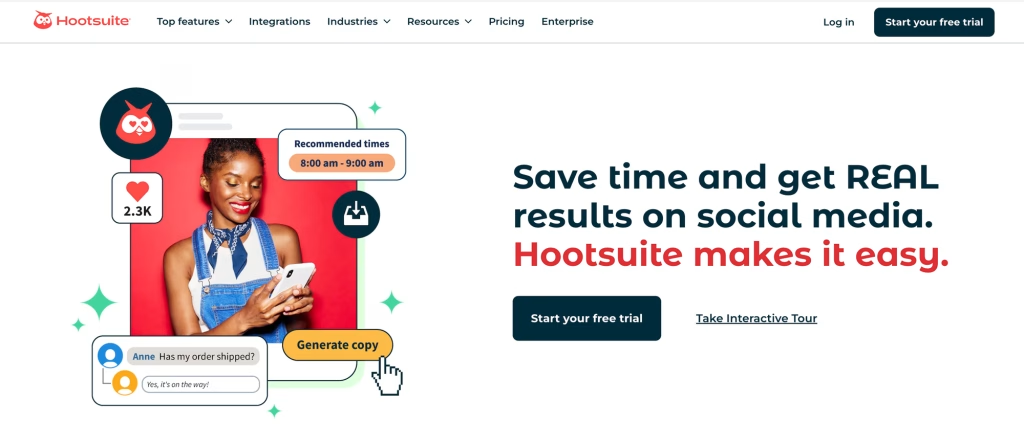
Hootsuite is a comprehensive social media management platform that allows users to schedule posts, engage with audiences, and analyze social media performance across multiple platforms from a single dashboard.
Why Choose Hootsuite
Hootsuite is ideal for businesses and marketers seeking an all-in-one solution for managing and optimizing their social media presence, offering robust scheduling, engagement, and analytics tools.
Our Experience
Our experience with Hootsuite has been positive, highlighting its user-friendly interface and powerful features that streamline social media management tasks.
Pros
- Supports multiple social media platforms
- Robust scheduling and analytics tools
- User-friendly interface suitable for teams
- Extensive integration options with third-party tools
Cons
- Higher pricing compared to some competitors
- Learning curve for new users
- Some users report occasional glitches or delays in post scheduling
Read Hootsuite Review→
9. BUFFER
Price per month
- Free Plan: $0/month
Includes 1 user, 3 social accounts, and 10 scheduled posts per account. - Essentials Plan: $6/month per channel
Includes 1 user, 8 social accounts, unlimited scheduled posts, and basic analytics. - Team Plan: $12/month per user
Includes 2–6 users, 8 social accounts, collaboration tools, and advanced analytics. - Agency Plan: $36/month per user
Includes 2–6 users, 10 social accounts, team collaboration, and advanced reporting.
Money-back guarantee
- 14-day free trial available for paid plans.
Overview
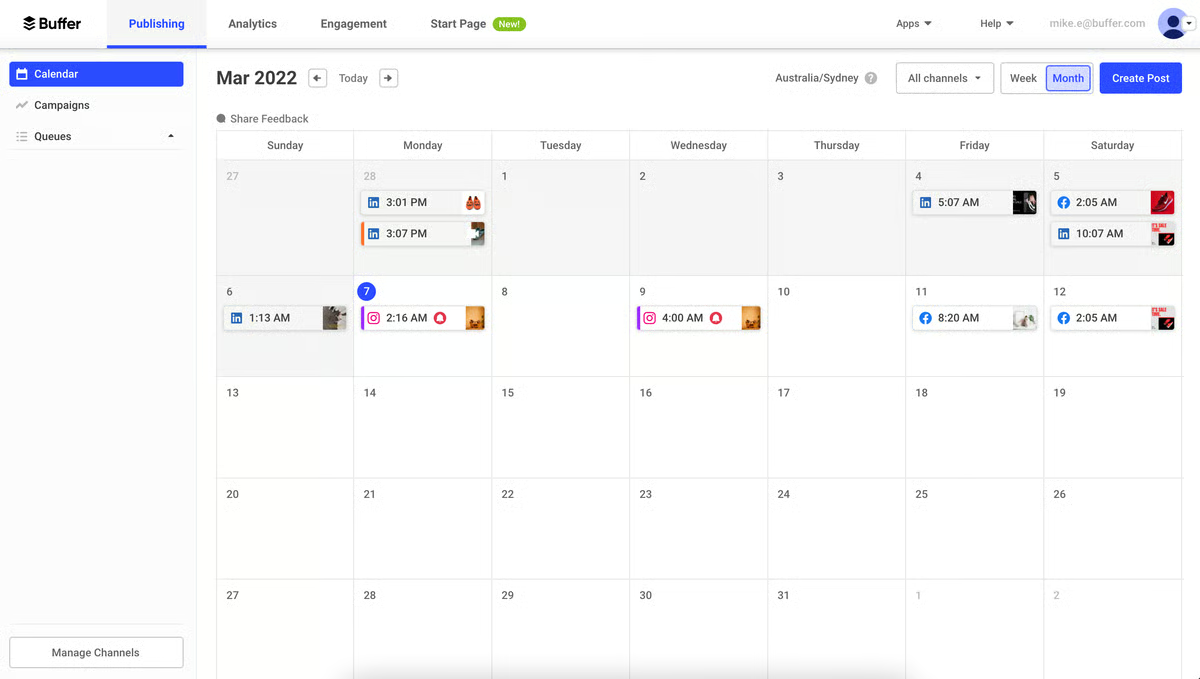
Buffer is a streamlined social media management platform designed to help businesses and individuals schedule, publish, and analyze posts across multiple social media channels. It offers a user-friendly interface and a suite of tools to enhance social media marketing efforts.
Why Choose Buffer
Buffer is ideal for small to medium-sized businesses, agencies, and content creators seeking an intuitive and affordable solution for managing their social media presence. Its simplicity and scalability make it a popular choice among users.
Our Experience
Our experience with Buffer has been positive, noting its clean interface and ease of use. The platform’s scheduling and analytics features are particularly beneficial for maintaining an organized social media strategy.
Pros
- User-friendly interface suitable for beginners
- Supports multiple social media platforms
- Offers both scheduling and analytics tools
- Provides team collaboration features in higher-tier plans
Cons
- Limited features in the free plan
- Advanced analytics and reporting are restricted to paid plans
- Some users may find the pricing higher compared to competitors
Read Buffer Review→
10. Typeform
Price per month
- Free Plan: $0/month
Includes unlimited forms, responses, and basic features. - Essentials Plan: $25/month
Includes 1 user, 3 logic jumps, and email support. - Business Plan: $50/month
Includes 3 users, 5 logic jumps, and priority support. - Enterprise Plan: Custom pricing
Includes 10+ users, advanced features, and dedicated support.
Money-back guarantee
- 30-day free trial available for paid plans.
Overview
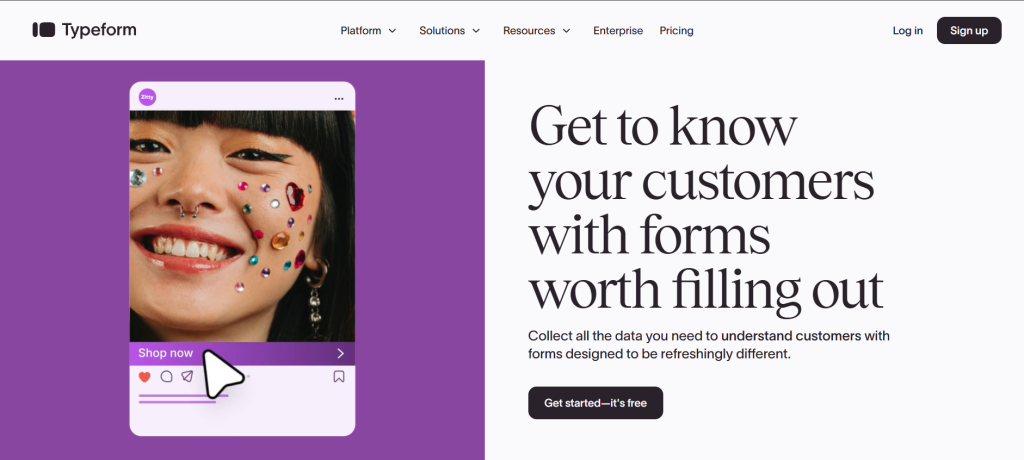
Typeform is a user-friendly online form builder that allows users to create engaging and interactive forms, surveys, and quizzes. It offers a variety of question types and customization options to enhance user experience.
Why Choose Typeform
Typeform is ideal for businesses and individuals seeking to collect data in a visually appealing and conversational manner. Its intuitive interface and customization options make it a popular choice for creating engaging forms.
Our Experience
Our experience with Typeform has been positive, noting its ease of use and the ability to create visually appealing forms. The platform’s customization options and integrations with other tools enhance its functionality.
Pros
- User-friendly interface
- Wide range of question types
- Customizable design options
- Integrations with other tools
Cons
- Limited advanced features in lower-tier plans
- Some users report occasional glitches or delays in form responses
Read Typeform Review→
Conclusion
Choosing the right sales and marketing tools can significantly boost your business growth and streamline your workflows. Each tool in this list offers unique features and benefits tailored to different needs—whether it’s lead generation, email marketing, social media management, or team collaboration.
Before deciding, consider your specific goals, budget, and team size. Many of these platforms offer free trials or free plans, so you can test them out and find the best fit. Leveraging the right tools will help you save time, improve customer engagement, and ultimately drive more sales.
Start exploring these top tools today and take your marketing and sales efforts to the next level!