
The 10 best Email Marketing tools for small business in 2025
The 10 best Email Marketing tools for small business in 2025

By Mohamed Thameem Ansari
Email marketing is a cost-effective, high-ROI way for small businesses to connect directly with customers, boost repeat sales, and build lasting relationships. With modern tools, you can design beautiful emails, send targeted offers, and automate follow-ups without needing a tech team.
The best platforms make it easy to create templates, segment your audience, and track performance in real time. Whether you’re sending a simple newsletter or a complex automated campaign, today’s tools offer drag-and-drop builders, ready-made designs, and analytics dashboards so you can focus on your message.
If you want a marketing channel you own—free from social media algorithm changes—email marketing is the most reliable way to nurture leads and convert them into loyal customers.
1. mailerlite
Read Review >
Paid plans start at $10/month
Free plan: 1,000 subscribers, 12,000 emails/month
30-day free trial
• Simple editor + landing pages + pop-ups (great for quick launches)
• Automations & segmentation on lower tiers (good value)
• Generous free plan limits for growing lists
2. MAILCHIMP
Read Review >
Paid plans start at $13/month
Free plan: 500 contacts, 1,000 emails/month
14-day free trial
• Well-known brand with tons of templates & tutorials
• All-in-one basics: forms, journeys, basic CRM, ads
• Huge integrations ecosystem (e-comm, forms, ads)
3. BREVO
Read Review >
Paid plans start at $9/month
Free plan: 300 emails/day
No trial (free plan instead)
• Email + SMS + WhatsApp in one platform
• Pay-as-you-go/pricing by sends (budget friendly)
• Good transactional email + marketing automations
4. Omnisend
Read Review >
Paid plans start at $16/month
Free plan: 250 contacts, 500 emails/month
14-day free trial
• Built for e-commerce (Shopify/Woo/BigCommerce)
• Prebuilt automated flows: welcome, cart, browse, post-purchase
• Channels: email + SMS + push with solid reporting
5. GetResponse
Read Review >
Paid plans start at $19/month
Free plan: 500 contacts, 2,500 newsletters/month
30-day free trial
• Email + funnels + webinars + basic website builder
• Strong automation builder & segmentation
• Good deliverability tools and analytics
6. ActiveCampaign
Read Review >
Paid plans start at $15/month
No free plan
14-day free trial
• Powerful automations + advanced segmentation
• Built-in CRM for sales + marketing alignment
• Great for lifecycle/email + deal pipelines
7. Constant Contact
Read Review >
Paid plans start at $12/month
No free plan
60-day free trial
• Very beginner-friendly editor & templates
• Solid event tools, surveys, and list growth features
• Strong support & training resources
8. HubSpot Email
Read Review >
Paid plans start at $12/month
No free plan
60-day free trial
• Free CRM + contact timelines + basic email automation
• Great templates and A/B testing on paid tiers
• Scales into full marketing/sales/service hub
9. ZOHO
Read Review >
Paid plans start at $3/month (email-based)
Free plan: up to 6,000 emails/month, 2,000 contacts
14-day free trial
• Tight integration with Zoho CRM & Zoho suite
• Journeys, segmentation, and dynamic content
• Cost-effective option for Zoho users
10. Moosend
Read Review >
Paid plans start at $9/month
Free plan available (limited)
30-day free trial
• Clean UI with smart automation & personalization
• Good e-commerce features (product recommendations)
• Competitive pricing for SMB budgets
For small businesses, email marketing delivers the highest ROI of any digital channel. It’s direct, personal, and puts your message in the one place customers check every day — their inbox.
The latest email marketing tools make it easy to create stunning emails, set up automated campaigns, and measure results in real time. No design or coding skills required — just choose a template, add your content, and hit send.
From free plans for startups to advanced features for growing companies, these platforms help you save time, engage customers, and drive more sales with every campaign.
The best email marketing tools for small businesses
MailerLite – Affordable, beginner-friendly, 30% lifetime affiliate commission
Mailchimp – Popular all-in-one platform, free plan for small lists
Brevo (Sendinblue) – Strong transactional + marketing emails, pay-as-you-go
Omnisend – Great for eCommerce automation, 20% recurring commissions
GetResponse – Advanced automation + webinar & landing page builder
ActiveCampaign – Powerful automation + CRM integration (20–30% recurring)
Constant Contact – Easy to use, strong templates, high fixed affiliate payouts
HubSpot Email Marketing – Free CRM + email marketing combo, scalable
Zoho Campaigns – Budget-friendly, integrates with Zoho ecosystem
Moosend – Cost-effective, 30–40% lifetime recurring commissions
Why Email Marketing Matters for Small Businesses
For a small business, every customer counts. Email marketing is one of the few channels that gives you direct access to your audience without relying on social media algorithms or expensive ads. It’s cost-effective, measurable, and helps you build long-term relationships with your customers.
Real Benefits You’ll See
- Low-cost growth: Reach thousands of subscribers at a fraction of ad costs.
- Repeat business: Stay top-of-mind with newsletters, offers, and updates.
- Customer loyalty: Regular tips, stories, and behind-the-scenes content make your brand human and trustworthy.
- More sales with less effort: Automations (welcome, cart recovery, re-engagement) keep selling while you focus on running your business.
- Own your audience: Unlike social media followers, your email list is an asset you fully control.
Small Business Scenarios
- Local café: Send weekly menus, event invites, and loyalty coupons.
- Online boutique: Share product drops, abandoned-cart reminders, and seasonal offers.
- Freelancer/coach: Nurture leads with a free email course, then pitch services.
- Salon or spa: Automate appointment reminders, re-booking offers, and review requests.
Best Practices to Maximize Results
- Segment your list: Send different messages to new vs. loyal customers.
- Keep it mobile-friendly: Most small-business customers read emails on their phones.
- Use clear CTAs: “Book now”, “Shop the sale”, or “Leave a review” should stand out.
- Test and improve: Run A/B tests on subject lines and offers to see what drives the most clicks.
Quick Pro Tips
- Start small: Even sending one newsletter per month builds momentum.
- Offer value: Don’t just sell—mix in tips, local news, or educational content.
- Grow your list everywhere: Add sign-up forms on your website, checkout pages, and social profiles.
What Makes an Email Marketing Tool “The Best”?
From our testing and small-business work, the top email platforms share these must-have qualities:
- Easy to Use
Drag-and-drop editors, ready-made templates, guided setup, and AI help so anyone can launch campaigns fast.
- High Deliverability
Strong sender reputation, SPF/DKIM/DMARC authentication, list-hygiene tools, and bounce/spam management to reach the inbox.
- Automation & Journeys
Visual workflows with triggers (signup, purchase, cart abandon), delays/conditions, A/B paths, and reusable templates.
- Segmentation & Personalization
Tags, custom fields, dynamic content, and behavioral segments so every message feels relevant—and converts better.
- Templates & Design
Mobile-responsive blocks, brand kits (fonts/colors), image manager, and content snippets to keep emails on-brand.
- Integrations
One-click connections to Shopify/WooCommerce, Stripe, Facebook/Google Ads, CRM, and Zapier to sync customers, orders, and events.
- Analytics & Attribution
Clear dashboards for opens, clicks, conversions, and revenue; UTM tracking, cohort views, and gift-card/coupon attribution.
- Compliance & Consent
GDPR/CAN-SPAM tools, double opt-in, preference centers, and easy unsubscribe to keep your list healthy and legal.
- Scalable Pricing
Fair tiers (contacts or sends), transparent overage rules, free plan/trial, and easy upgrades as your list grows.
- Support & Learning
Helpful docs, chat/email support, templates, and onboarding/migration help so you’re never stuck.
1. MailerLite
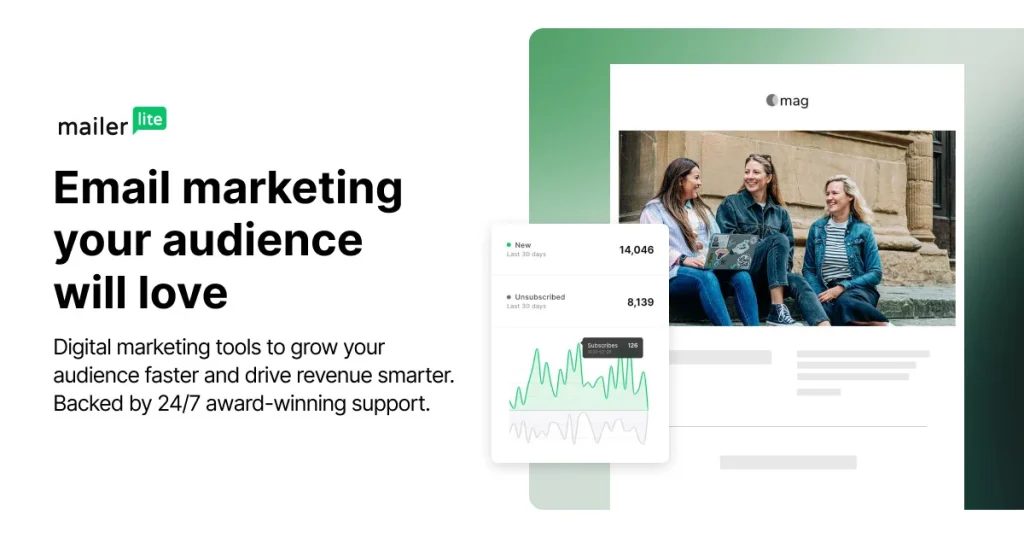
MailerLite is designed for simplicity, making it an excellent choice for small businesses starting with email marketing. It comes with an intuitive drag-and-drop editor, automation workflows, landing pages, and a website builder—all easy to use without technical skills.
What makes MailerLite stand out is its generous free plan and affordable upgrades. You can start completely free, then scale affordably as your audience grows. The platform also includes tools for automation, A/B testing, and eCommerce integrations.
MAILERLITE PRICING (2025)
- Free Plan – $0/month – Up to 1,000 subscribers, 12,000 monthly emails, landing pages, automation, and site builder.
- Growing Business – from $10/month – Unlimited emails, 3 user seats, advanced automations, and email support.
- Advanced – from $20/month – Unlimited users, HTML editor, advanced reporting, AI features, and live chat support.
- Enterprise – Custom pricing – For large businesses with dedicated support and advanced needs.
Keep in Mind: Pricing scales with subscriber count. For example, 5,000 subscribers costs around $35/month on the Growing Business plan.
Top Tip: Start with the free plan to test features, then upgrade for advanced automation and unlimited sending once your list grows.
Best Fit For: Small businesses, solopreneurs, and creators who want an affordable, beginner-friendly tool that balances ease of use with powerful automation.
PROS
- Generous free plan with automation, landing pages, and site builder.
- Simple drag-and-drop editor that’s beginner-friendly.
- Affordable upgrades as your list grows.
cons
- Free tier lacks advanced templates and reports.
- Occasional usability issues after updates.
2. Mailchimp
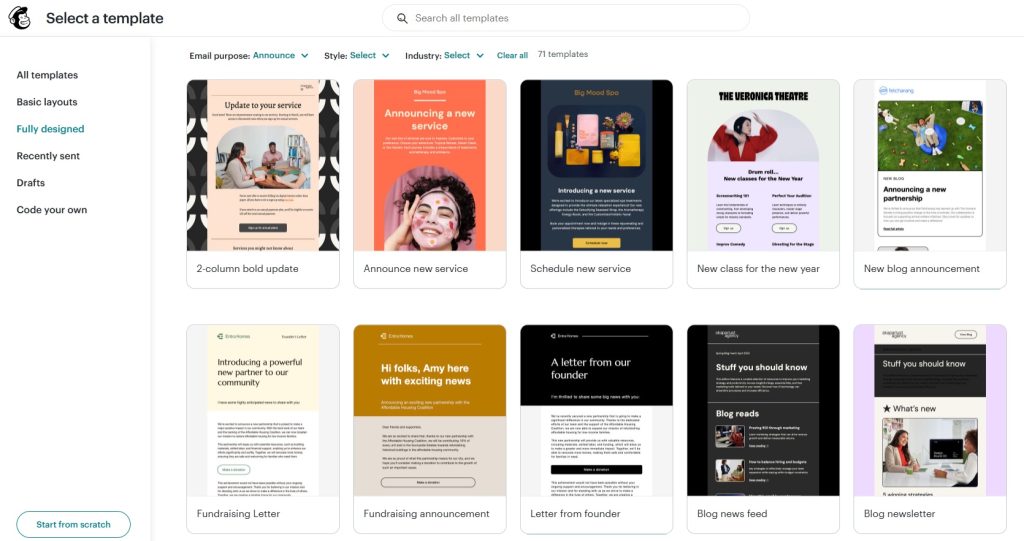
Mailchimp is an all-in-one marketing platform beloved for its versatility and ecosystem of integrations. The free tier supports up to 500 contacts and 1,000 sends each month—perfect for testing email marketing on a budget. Paid plans add creative automation, A/B testing, and advanced segmentation to help you refine campaigns and scale. Its well-known branding and integrations with countless platforms make it easy to onboard. Analytics are robust too, helping you track ROI, send time optimization, and subscriber behavior across journeys.
MAILCHIMP PRICING (2025)
- Free Plan – $0/month – Up to 500 contacts, 1,000 sends/month (max 500/day), basic templates and reporting.
- Essentials – from $13/month – Includes A/B testing, custom branding, 24/7 email support.
- Standard – from $20/month – Adds advanced automations, custom templates, behavioral targeting.
- Premium – from $350/month – Unlimited audiences, multivariate testing, phone support, and advanced segmentation.
Keep in Mind: Pricing scales steeply as your contact list grows—especially for Premium. Good for small lists, but may get expensive beyond 10,000 contacts.
Top Tip: Start with Free or Essentials, then upgrade to Standard when you need better automation and targeting.
Best Fit For: Businesses looking for a familiar, feature-rich platform with strong design tools and widespread integration support.
PROS
- All-in-one platform with templates, automations, and analytics.
- Huge integration library (Shopify, WordPress, CRM tools).
- Strong reporting tools to track opens, clicks, and conversions.
cons
- Pricing gets expensive as subscriber list increases.
- Lower plans have limited support and features.
3. Brevo(Sendinblue)
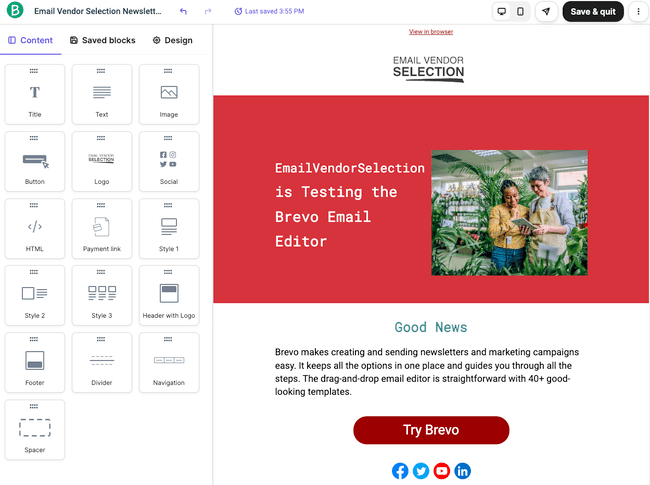
Brevo combines email, SMS, transactional messages, and chat in one cost-effective platform—ideal for confirmations and promotions under one roof. The free plan allows unlimited contacts with daily sending limits, offering flexibility for growing lists. Upgrade plans unlock automation workflows, landing pages, retargeting ads, and multi-channel campaigns. Its pay-as-you-go pricing makes it scalable, while the standardized builder and smart segmentation are excellent for personalization. Brevo’s reporting panel is clean and actionable, helping small companies monitor performance and optimize conversions easily.
BREVO PRICING (2025)
- Free Plan – $0/month – Up to 300 emails/day, unlimited contacts, email templates, and basic automation.
- Starter – from $9/month – 5,000 emails/month, advanced reporting, and no daily cap.
- Business – from $18/month – Adds marketing automation, landing pages, Facebook ads, and retargeting tools.
Keep in Mind: Daily sending limits in the free plan may be restrictive; Business tier adds CRM and ad tools.
Top Tip: Use the Starter tier to get rid of limitations and scale easily with growing email volume.
Best Fit For: Businesses needing transactional messaging, email marketing, and multi-channel tools in one affordable platform.
PROS
- Very budget-friendly with pay-as-you-go email/SMS pricing.
- Easy to set up with good deliverability rates.
- Multi-channel marketing (email + SMS in one platform).
cons
- Lower tiers miss some templates and advanced analytics.
- CRM and automation feel basic compared to rivals.
4. Omnisend
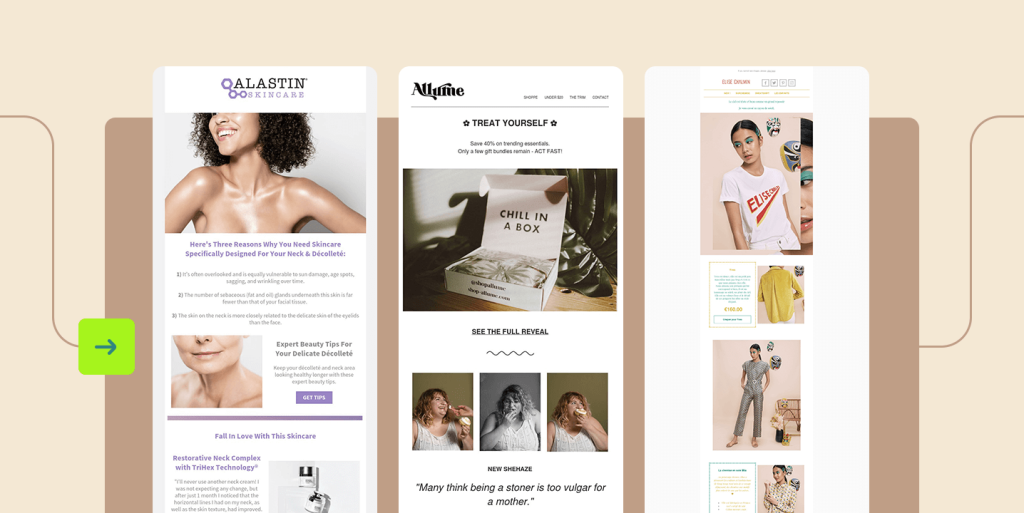
Omnisend is built for e-commerce brands wanting powerful, multi-channel automation across email, SMS, and push notifications. Its Forever Free plan supports basic automation and email campaigns, which is great for stores starting out. The Standard tier unlocks robust pre-built workflows like cart recovery, welcome series, and win-back campaigns. It integrates seamlessly with Shopify, WooCommerce, and BigCommerce, automatically syncing products and customer data. Real-time reporting and smart segmentation help brands send timely, relevant messages that drive repeat sales.
OMNISEND PRICING (2025)
- Free Plan – $0/month – Up to 500 emails/month, email automation, forms, and segmentation tools.
- Standard – from $16/month – Full features: email, SMS, automation, 24/7 chat support, automation workflows.
- Pro – from $59/month – Adds unlimited push notifications, priority support, and advanced segmentation.
Keep in Mind: Free tier is limited for volume-heavy stores; SMS and push cost extra as you scale.
Top Tip: Start with Free, switch to Standard when you launch your first marketing automation or cart recovery campaign.
Best Fit For: Online stores that want unified email, SMS, and push campaigns to drive sales and retention.
PROS
- Built for e-commerce (email, SMS, push notifications).
- Pre-built automation workflows for cart recovery and sales.
- Great onboarding and support for small teams.
cons
- Limited scalability for complex enterprise needs.
- Deliverability issues reported in some campaigns.
5. GetResponse
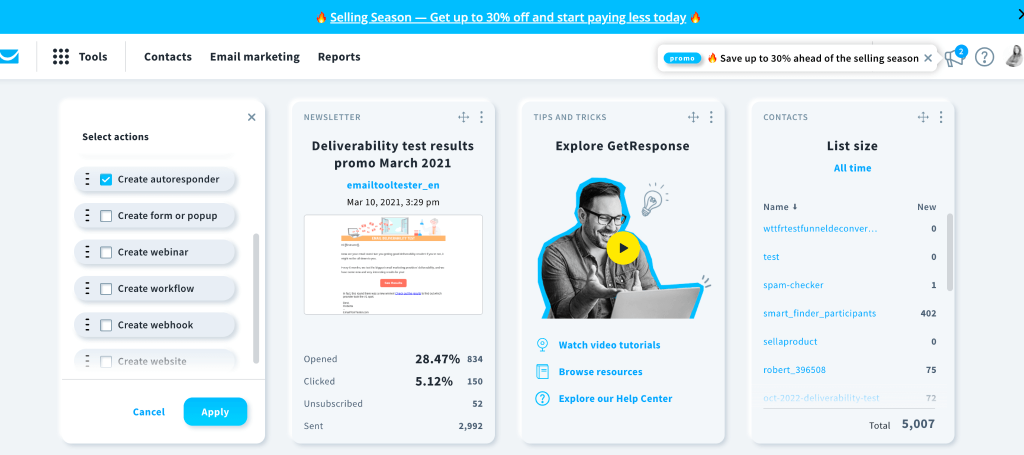
GetResponse is more than an email tool—it’s a full marketing suite featuring emails, automation, landing pages, webinars, and funnel tools. The free plan works for small audiences, but the Starter tier lets you send unlimited emails with AI assistance and landing page functionality. Higher tiers unlock webinar hosting, automation workflows, and advanced analytics to understand funnel performance. The built-in funnel builder simplifies campaign planning for solopreneurs. It’s powerful for businesses using webinars or sales funnels to nurture leads and drive conversions.
GETRESPONSE PRICING (2025)
- Free Plan – Available; limited to 500 subscribers and 2,500 emails/month.
- Starter – from $19/month – Includes autoresponders, AI email creator, landing pages, and unlimited emails.
- Marketing Automation – from $59/month – Adds advanced workflows, contact scoring, and webinar hosting.
- eCommerce Marketing – from $119/month – Adds cart recovery, product recommendations, and automatic funnels.
Keep in Mind: Webinar and eCommerce features are in higher-tier plans; yet they are powerful additions if your small business uses visual campaigns or online selling.
Top Tip: Test marketing automation or course delivery first, then upgrade based on specific feature needs.
Best Fit For: Businesses offering online courses, demos, or relying on funnels for growth.
PROS
- All-in-one tool (emails, funnels, landing pages, webinars).
- Easy-to-use editor and templates for beginners.
- Strong automation with visual workflow builder.
cons
- Costs rise quickly with larger subscriber lists.
- Customer support response time can be slow at times.
6. ActiveCampaign

ActiveCampaign brings together email, automation, and a fully integrated CRM in one platform—ideal for businesses focused on customer journeys. Even from the entry plan, you get robust automation, lead scoring, dynamic segmentation, and visual campaign mapping. The CRM integration lets sales and marketing sync seamlessly—perfect for small teams. Reporting options include conversion analytics, attribution, and predictive sending. It’s a strong choice for businesses ready to move beyond basics into strategic, multi-touch customer experiences.
ACTIVECAMPAIGN PRICING (2025)
- Starter – from $19/month – For up to 1,000 contacts; includes email marketing and core automations.
- Standard / Plus – from ~$79 to $189/month – Adds CRM, advanced automations, multiple users, and more contacts.
- Enterprise – custom pricing – Tailored for large lists, teams, and 1:1 support.
Keep in Mind: The platform is automation-rich, but prices increase quickly as subscriber count grows.
Top Tip: Use the free trial on Starter, then scale to Plus when needing CRM and team-level automations.
Best Fit For: Growing businesses that demand advanced workflows, sales automation, and robust customer journeys.
PROS
- Advanced automation and segmentation.
- CRM built-in for sales + marketing alignment.
- Excellent personalization features.
cons
- Learning curve for beginners.
- Pricing increases steeply as contacts grow.
7. Constant Contact
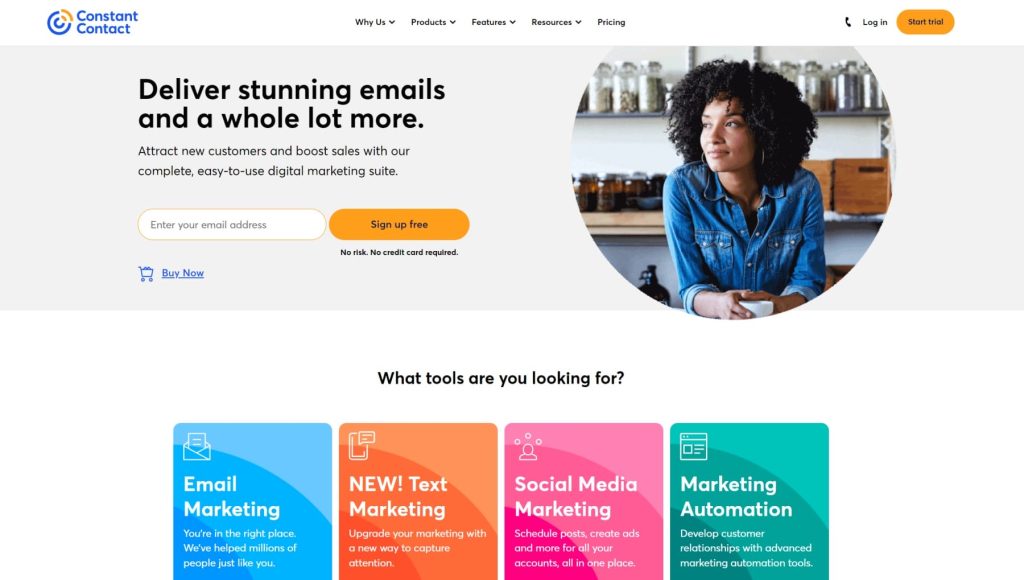
Constant Contact is known for its ease of use and strong support, making it perfect for beginners. The Lite plan provides templates and simple campaign creation, while higher plans add automation, segmentation, and social campaigns. Unique event management features like invites and ticketing make it great for local businesses or community groups. The drag-and-drop editor is intuitive, and learning resources like webinars and coaching speed up onboarding. Strong deliverability ensures your messages land in the inbox.
CONSTANT CONTACT PRICING (2025)
- Lite – from $12/month – Entry tier with basic email marketing features.
- Standard – from $35/month – Adds automation, segmentation, and online sales tools.
- Premium – from $80/month – Includes advanced automation and priority support.
Keep in Mind: Starter tier is basic and may lack features like segmentation or A/B testing.
Top Tip: Go for Standard if you need automation or event tools—otherwise, Lite handles simple newsletters well.
Best Fit For: Small businesses that want decent features with strong email deliverability and support.
PROS
- User-friendly interface great for non-tech users.
- Event promotion tools (RSVPs, ticketing, reminders).
- High deliverability rates
cons
- Limited automation on lower plans.
- Templates feel dated compared to modern tools.
8. HubSpot Email Marketing
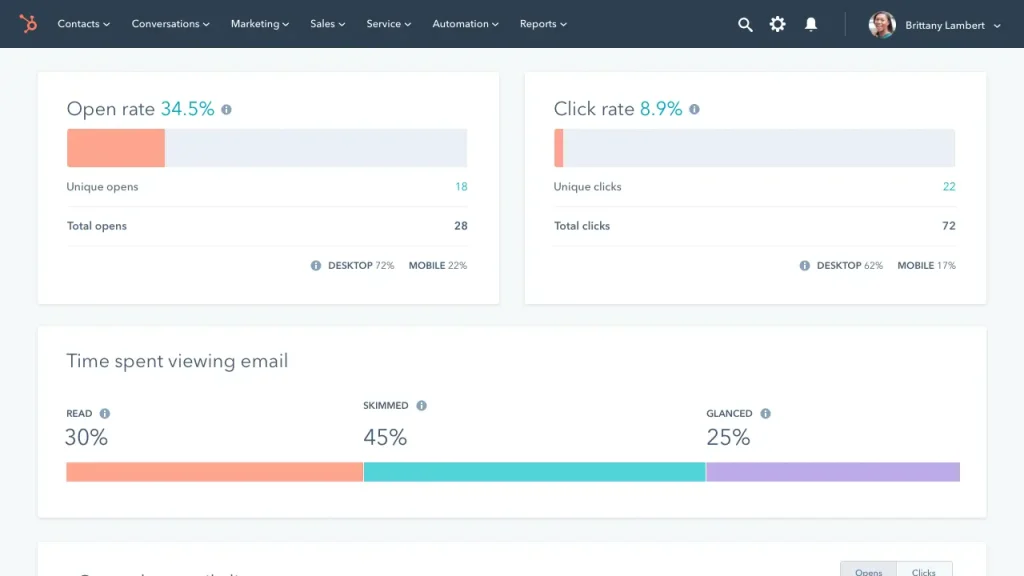
HubSpot Email Marketing comes with its world-class free CRM, offering contact management, forms, and tracking all in one place. You can start free, then scale into paid tiers unlocking automation, workflows, A/B testing, and team collaboration. Because the CRM and email tool live together, personalization and tracking are seamless. The interface is polished, and HubSpot Academy offers excellent free resources. It’s ideal for businesses that want marketing and sales tightly connected.
HUBSPOT EMAIL PRICING (2025)
- Free Plan – $0/month – CRM, email marketing, forms, and basic analytics included.
- Starter – from ~$15–$20/month – Adds more contacts, A/B testing, and expanded branding tools.
- Professional – from ~$250/month – Includes automation, personalization, and attribution reporting.
- Enterprise – from ~$1,200/month – Full marketing automation, team features, and custom objects.
Keep in Mind: Pricing climbs steeply at higher tiers—best for businesses needing in-depth inbound + CRM capabilities.
Top Tip: Use Free for basic lists; move to Professional when you need scalable automation with data insights.
Best Fit For: Scaling businesses that rely on inbound, CRM, and analytics-driven marketing strategies.
PROS
- Free CRM + email integration out of the box.
- Professional templates with drag-and-drop builder.
- Great analytics with customer journey tracking.
cons
- Pricing skyrockets once you need advanced features.
- Too complex for small businesses needing only email.
9. Zoho Campaigns
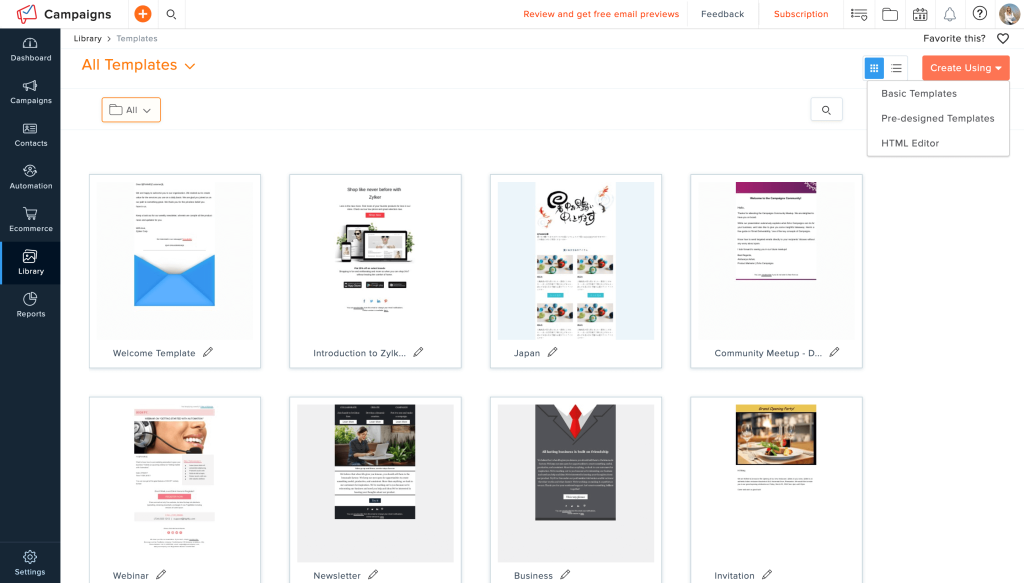
Zoho Campaigns is an affordable email platform tightly integrated with Zoho CRM, Projects, and other apps. The Forever Free plan supports up to 2,000 contacts and 6,000 monthly emails—enough for testing value. It also provides templates, workflows, and analytics dashboards. Price jumps are modest when upgrading for advanced automation and reporting. For teams already in the Zoho ecosystem, the native integration makes it a smart, seamless choice.
ZOHO CAMPAIGNS PRICING (2025)
- Forever Free – $0/month – Up to 2,000 contacts and 6,000 emails/month.
- Standard – from ~$4/month – Includes templates, automation, compliance, and analytics.
- Business – higher tiers – Expands limits and includes advanced workflows.
Keep in Mind: Pricing is budget-friendly but premium features may require upgrade.
Top Tip: Use Forever Free until list growth demands more automation or analytics.
Best Fit For: Businesses already using Zoho apps who want a seamless, cost-effective email tool.
PROS
- Affordable pricing for startups.
- Tight integration with Zoho CRM and apps.
- Automation & templates even on lower tiers.
cons
- Automation & templates even on lower tiers.
- Advanced reporting requires upgrades.
10. Moosend
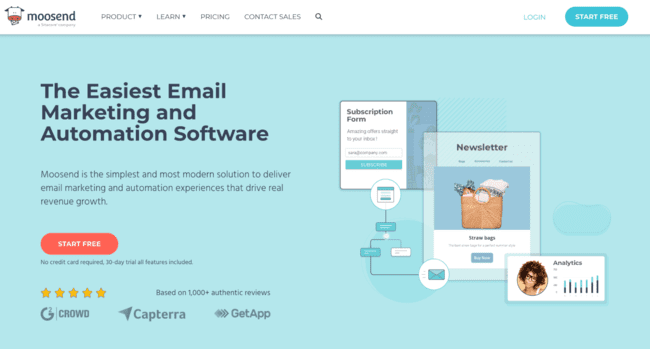
Moosend delivers strong automation, personalization, and responsive templates—all at a very affordable price. The entry-level plan starts at about $9/month, offering nearly the full feature set of bigger competitors. Its AI tools and drag-and-drop builder make campaign creation quick and creative. Reporting includes revenue tracking and engagement trends, helping small businesses refine their campaigns. With great support and onboarding, Moosend is an excellent low-cost yet powerful option for growth-focused businesses.
MOOSEND PRICING (2025)
- Free Plan – Available for very small audiences (details vary).
- Paid Plans – from ~$9/month – Includes marketing automation, personalization, and templates—significantly lower than many rivals.
Keep in Mind: Specific feature limits on free tier; paid plans remain highly affordable.
Top Tip: Use free plan to start; upgrade to paid when needing full automation and segmentation.
Best Fit For: Small businesses seeking rich features and automation without paying premium prices.
PROS
- Affordable plans with unlimited emails.
- Strong automation and personalization tools.
- Beginner-friendly editor and templates.
cons
- Free plan is very limited.
- Fewer third-party integrations than rivals.
Which Email Marketing Tool is Best for Your Small Business?
If you’ve read this far, you know there’s no shortage of excellent email marketing tools for small businesses. The truth is—there’s no single “perfect” tool that fits everyone from day one. The key is to choose the platform that meets your needs right now and start building your list.
As your business grows, your audience expands, and your goals evolve, you might switch tools—and that’s completely fine. What matters most is getting started today so you can connect with customers, build trust, and drive sales. In email marketing, momentum beats perfection every time.