
The 10 best website builders for small business in 2025
The 10 best website builders for small business in 2025

By Mohamed Thameem Ansari
Over the past several years, countless website builders have emerged, each promising to help businesses create a professional online presence quickly and affordably. With so many options available, it can be overwhelming for small business owners to figure out which one is the best fit. To save time and effort, we’ve researched and tested the most popular platforms, evaluating their latest features, ease of use, and value for money. The result is a curated shortlist of the best website builders for small businesses, designed to help you make the right choice without the trial-and-error hassle.
1. WIX
Read Review >
From $17/month
Free plan + 14-day free trial
Highly customizable drag-and-drop editor
Built-in SEO tools & marketing integrations
Huge template library for all industries
2. SQUAREspace
Read Review >
From $16/month
14-day free trial
Sleek, modern templates for service brands
Built-in appointment booking tools
All-in-one hosting, domains & analytics
3. Shopify
Read Review >
$1/month for first 3 months
Try free for 3 days
Best eCommerce tools & integrations
Powerful inventory & order management
Supports multi-channel selling (social, marketplace, POS)

4. WEBFLOW
Read Review >
From $14/month
Free plan available
Advanced design control with no-code/low-code
Flexible CMS for dynamic content
Fast, responsive, SEO-friendly sites
5. WordPress
Read Review >
Free software
Hosting from $11/month
Unlimited customization with plugins & themes
Full ownership of site & data
Huge community & support resources

6. Hostinger
Read Review >
From $2.99/month
30-day money-back
Very affordable hosting + builder
AI website creation tools
24/7 customer support
7. GHOST
Read Review >
From $2.99/month
30-day money-back
Very affordable hosting + builder
AI website creation tools
24/7 customer support

8. KAJABI
Read Review >
From $89/month
14-day free trial
All-in-one platform for courses & digital products
Built-in marketing automation
Easy payment integration & analytics

9. SQUARE
Read Review >
Free plan available
Transaction fees apply
Great for restaurants & retail businesses
Integrated POS & online ordering
Simple drag-and-drop website builder

10. NETWORK SOLUTIONS
Read Review >
From $14.95/month
30-day money-back
Reliable uptime & security features
Easy domain + hosting packages
Suitable for small business websites
Having a website is essential if you want customers to find you online. But for many small businesses, hiring a professional developer can be expensive. That’s where easy-to-use website builders come in — they let you create a professional site without needing to know coding or design. With today’s AI features, getting your business online is faster than ever. After testing several options, here are some of the best website builders that can help small businesses get started quickly and affordably.
The best website builders for small businesses
Wix for ease of use
Squarespace for service-based businesses
Shopify for eCommerce
Webflow for advanced design flexibility
WordPress for a free, fully customizable option
Hostinger for a budget-friendly choice
Ghost for content creators and bloggers
Kajabi for selling online courses
Square for restaurants and food-based businesses
Network Solutions for simple, fast setup
What Can a Website Builder Do for Your Small Business?
A decade ago, creating a business website meant hiring a developer or learning to code. Today, website builders handle the hard work for you—no coding required.
Beyond just creating pages, modern website builders can:
Sell products online with shopping carts and secure checkout
Manage stock and orders in real time
Send marketing emails to attract and retain customers
Integrate with tools you already use for payments, bookings, or analytics
In short, they can become the all-in-one hub for your online presence while saving you time and technical headaches.
What Makes a Website Builder “The Best”?
From our testing and small-business experience, the top platforms have these must-have qualities:
1. Easy to Use
You shouldn’t need to be a developer to make a great site. The best tools offer drag-and-drop editors, pre-built templates, and tutorials.
2. Built-In SEO Features
Your site needs to be found. These builders include SEO settings for titles, meta descriptions, sitemaps, and more.
3. Integrations
No single platform does everything. The best builders connect with marketing, analytics, shipping, and CRM tools to grow your business.
4. Flexible Templates
Modern, mobile-friendly designs that can be customized to fit your brand—without writing code.
5. Payment Processing
Even if you’re not running a full online store, the ability to accept payments online is a huge plus.
1. wix
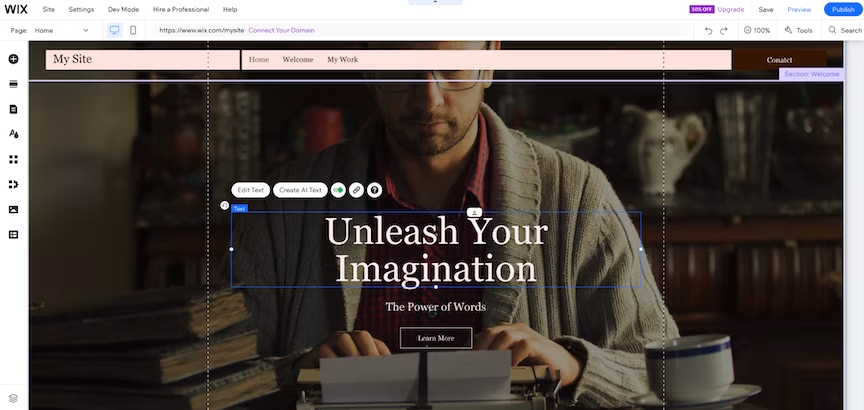
Wix is built with simplicity at its core, making it the perfect choice for small business owners who want to get online quickly without complicated technical setups.
Its drag-and-drop editor is clean, intuitive, and beginner-friendly, allowing you to design pages exactly how you want without writing a single line of code.
With over 900 professionally designed templates tailored for industries like retail, hospitality, services, and more, your site will look polished from day one.
Built-in tools for SEO, social media integration, and email marketing help you attract and engage customers.
You can also add eCommerce features, booking systems, or membership areas within the same platform—no need for multiple tools.
Another standout is Wix’s app market, offering hundreds of add-ons for marketing, analytics, and design.
Plus, its mobile optimization ensures your website looks great on any device.
WIX PRICING (2025)
- Free Plan – $0/month – Wix ads, Wix-branded domain, and basic features.
- Light Plan – $17/month – Custom domain, 2GB storage, and no Wix ads.
- Core Plan – $29/month – eCommerce, 50GB storage, and basic marketing tools.
- Business Plan – $32/month – Advanced eCommerce, subscriptions, multi-currency, and priority support.
- Free Trial – 14-day money-back guarantee on all paid plans.
Keep in Mind: While Wix is excellent for ease of use, advanced customization like deep technical SEO or complex site structures can be limited.
If your site has many images, make sure to optimize them for faster loading.
Top Tip: Start with the free plan to explore features, then upgrade when ready for a custom domain, ad-free experience, and payment options.
Best Fit For: Small businesses seeking a professional, easy-to-manage website for showcasing products, services, or portfolios—especially when speed and simplicity matter more than complex customization.
PROS
- All-in-one platform: hosting, editor, SEO, e‑commerce built-in.
- Beginner-friendly drag‑and‑drop with AI tools
- 800+ designer templates for all industries.
- Integrated e-commerce with payment gateways.
- Reliable hosting and security included.
cons
- Can’t switch templates after publishing.
- Loading speed can be slower with heavy content.
2. SQUARESPACE
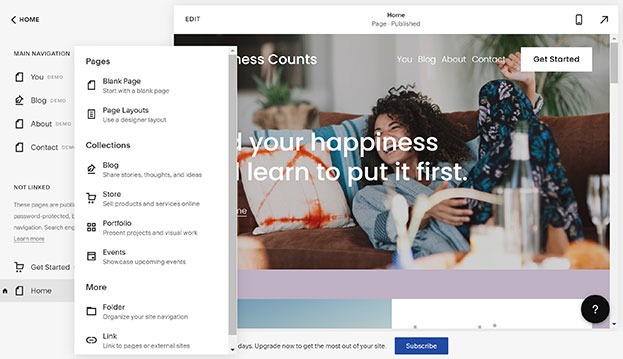
Squarespace focuses on clean, designer-quality sites without complicated setup. The editor is simple and consistent, so you can launch a premium-looking website fast—perfect if you run a studio, clinic, salon, consultancy, or café and want your brand to look professional from day one.
You get award-winning templates, sensible layout controls, and built-in tools for SEO, email campaigns, and analytics. Appointments are easy with Scheduling (Acuity), and you can add donations, gated content, or a small store when you’re ready—all in the same platform, with minimal maintenance.
If your priority is reliable hosting, attractive design, and a unified toolkit you don’t have to babysit, Squarespace fits the bill for most small service businesses.
SQUARESPACE PRICING (2025)
- Personal – $16/month – Core website features and templates (best for simple brochure sites).
- Business – $23/month – Advanced site features and basic commerce tools.
- Commerce Basic – $27/month – Full online store capabilities with checkout on your domain.
- Commerce Advanced – $49/month – Advanced shipping, discounts, and selling features.
- Free Trial – 14 days – Explore the platform before committing.
Prices shown in USD; monthly rate on annual billing.
Keep in Mind: Squarespace favors simplicity and consistency over deep, developer-level customization. The extension marketplace is smaller than some competitors, but the built-in stack covers most small-business needs.
Top Tip: Pick a template that already matches your service flow (e.g., Services + Scheduling). Replace demo content first, then tweak fonts/colors—this keeps launch time short and on-brand.
Best Fit For: Consultants, creatives, wellness professionals, studios, cafés, and local services that want a premium look, easy bookings, and low upkeep on a single platform.
PROS
- Elegant, designer-quality templates & intuitive editor
- Great for beginners who value branding and simplicity
- Mobile-optimized designs out of the box.
cons
- Layout customization is limited—once you go off template, it’s tricky
- Costs add up over time (renewal domains, limited e‑commerce)
3. SHOPIFY
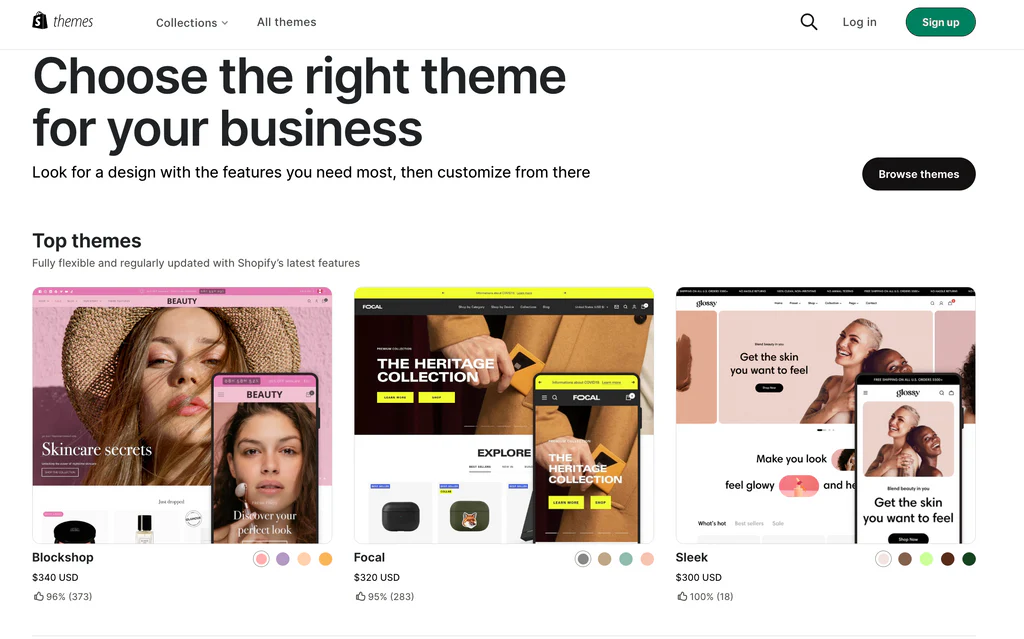
Shopify is a dedicated e-commerce powerhouse, perfect for small businesses ready to scale. Its platform is built for selling—offering robust inventory, multichannel integrations, advanced analytics, and AI tools—all wrapped in a user-friendly dashboard.
Your store runs on Shopify’s fast, secure hosting with included SSL. You get over 100 payment options, 24/7 support, and a massive app ecosystem for everything from marketing and dropshipping to loyalty programs and automation. It’s designed to grow with you, from a single product page to a full-scale online operation.
While Shopify is more complex than general site builders, the payoff is powerful e-commerce tools, high-converting checkout, and the ability to expand into new markets—all with enterprise-level capabilities right from the start.
SHOPIFY PRICING (2025)
- Starter – $5/month – Quick “buy link” selling on social media or emails (not a full storefront).
- Basic – $29/month (annual) – Full online store, unlimited products, discount codes, blog, POS Lite.
- Grow (Shopify) – $79/month (annual) – 5 staff accounts, international domains, lower transaction fees.
- Advanced – $299/month (annual) – Advanced reporting, up to 15 staff accounts, third-party calculated shipping.
- Plus – from $2,300/month (multi-year deals) – Enterprise platform with priority support and custom checkout.
- Free Trial – 3 days (or $1 for first 3 months on annual sign-up).
Note: All prices are USD with annual billing discounts. Free trial gives full functionality, and longer plans are more cost-effective.
Keep in Mind: Shopify is more expensive and slightly complex compared to general site builders like Wix. Transaction fees apply unless you use Shopify Payments, and add-ons can raise costs. But the feature set is far harder to beat if serious about selling.
Top Tip: Start with the Basic plan to test your store’s viability. Upgrade to Grow when you need staff management, international domains, or better rates. Hold off on Advanced/Plus until your sales volume makes their features and fees worthwhile.
Best Fit For: Ambitious small businesses, solopreneurs, boutiques, and makers who want a scalable, high-performance e-commerce platform that’s ready for growth—across products, channels, and markets.
PROS
- Powerful e‑commerce suite with AI tools, scalable for growth
- Easy to start, integrates marketing, analytics, payments seamlessly
- App Store with 8,000+ integrations
cons
- Transaction fees unless using Shopify Payments.
- Higher monthly cost than basic builders.
4. webflow
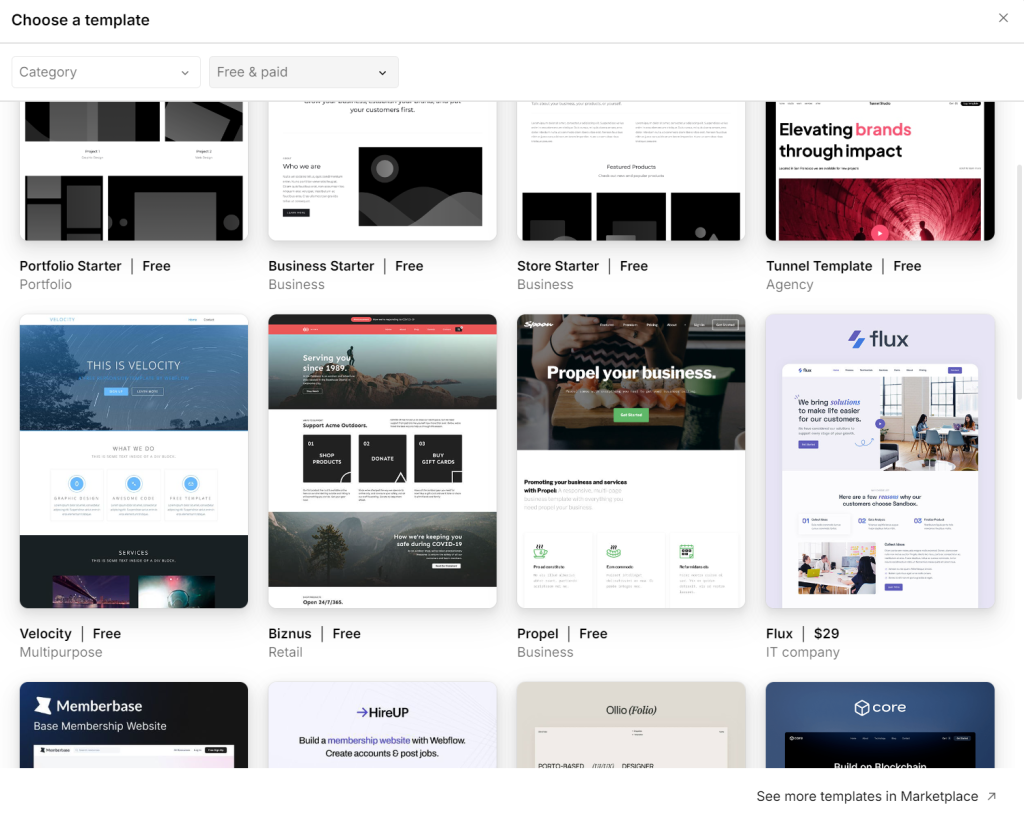
Webflow offers visual development with the power of clean HTML, CSS, and JavaScript—making it a standout if you’re comfortable with design and want fine-grained control without coding. It’s ideal for small businesses, creatives, and agencies that value precision, collaboration, and scalability.
Unlike drag-and-drop builders, Webflow lets you visually design your site while it generates production-ready code. You get AI-powered tools, a built-in CMS, team collaboration features, e-commerce options, and powerful hosting—all backed by SSL, DDoS protection, and enterprise-grade security.
While the learning curve is steeper, the result is unmatched design freedom and professional output—perfect if you’re ready to invest time to save on developer costs and improve site performance.
WEBFLOW PRICING (2025)
- Starter – $0/month – Limited to Webflow.io domain, 2 pages, 50 CMS items, 50 form submissions, and basic hosting. Ideal for testing or personal staging sites.
- Basic – $14/month (annual billing) – Custom domain, up to 150 pages, 250K monthly visits. Great for simple business sites.
- CMS – $23/month (annual billing) – Adds CMS, site search, 250GB bandwidth, and 3 editors. Perfect for content-heavy blogs or directories.
- Business – $39/month (annual billing) – Higher bandwidth (400GB), 10 editors, form file uploads, and advanced features for scaling businesses.
- E-commerce Standard – $29/month (annual billing) – 500 products, 2% transaction fee, includes all CMS features.
- E-commerce Plus – $74/month (annual billing) – 5,000 products, no transaction fees, 10 editors.
- E-commerce Advanced – $212/month (annual billing) – 15,000 products, unlimited sales, 15 staff accounts.
Note: All prices are USD and billed annually; monthly options available at slightly higher rates.
Keep in Mind: Webflow has a steeper learning curve—especially compared to Wix or Squarespace—but offers unmatched design flexibility, clean code export, and powerful CMS and e-commerce tools. Templates are limited, and you might need technical skill to get the most out of it.
Top Tip: Use Webflow if you want full control over layout and interactions without sacrificing performance or SEO. Start with the CMS plan for most businesses, or layer on e-commerce as you scale.
Best Fit For: Small agencies, design-savvy businesses, creatives, and professional freelancers who need a pixel-perfect, scalable website with team collaboration, CMS, and advanced security—all under one visual roof.
PROS
- Design freedom with clean code and visual control
- Scalable and collaborative—great for growing teams
- Scalable hosting powered by AWS.
cons
- Steeper learning curve for beginners.
- Higher cost than basic site builders.
5. WORDPRESS
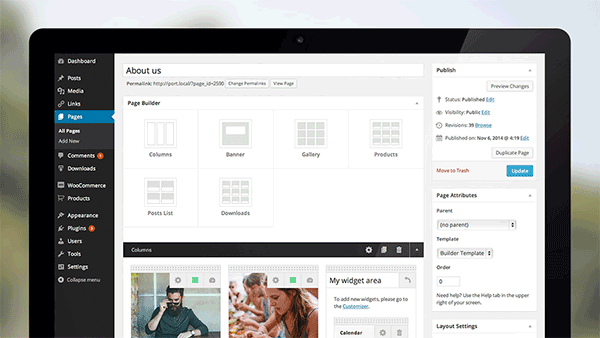
WordPress.com is a hosted, beginner-friendly way to use WordPress without managing servers, security, or backups. You get the power of the world’s most popular CMS, plus fast managed hosting, SSL, and a simple dashboard—good for small businesses that want flexibility without the sysadmin work.
The big advantage is scalability: start simple, then add themes, payments, newsletters, or full e-commerce. On higher tiers you unlock plugins (WooCommerce, SEO, forms, analytics) and custom code, so you can grow from a brochure site into a serious business hub on the same platform.
If you want more control than typical drag-and-drop builders—but prefer an all-in-one setup with support, security, and automatic updates—WordPress.com hits the sweet spot for long-term growth.
WORDPRESS.COM PRICING (2025)
- Free – $0/month – WordPress.com subdomain, basic features, ads displayed.
- Personal – $4/month (annual) – Custom domain, no ads on your site, basic support.
- Premium – $8/month (annual) – Premium themes, payments, more design control.
- Business – $25/month (annual) – Plugins + custom themes, advanced SEO, backups, staging.
- Commerce – $45/month (annual) – Full online store with WooCommerce, shipping/tax tools.
Note: USD pricing; billed annually; regional pricing may vary. Free domain typically included for the first year on paid annual plans.
Keep in Mind: The learning curve is steeper than plug-and-play builders, and the best features (plugins, advanced SEO, e-commerce) start at the Business tier and above.
Top Tip: If you plan to use plugins (SEO, forms, caching, WooCommerce), go straight to Business. If you only need a clean brochure site with occasional blog posts, Premium is solid value.
Best Fit For: Small businesses that want a scalable, content-driven site with room to grow—blogs, services, portfolios, and stores that may later need plugins, custom tracking, or complex SEO.
PROS
- Powerful, flexible platform with plugins and content control
- Flexible for blogs, business, and e-commerce.
- Integration with WooCommerce for stores..
cons
- Less control than self-hosted WordPress.org.
- Some features locked behind higher plans.
6. Hostinger
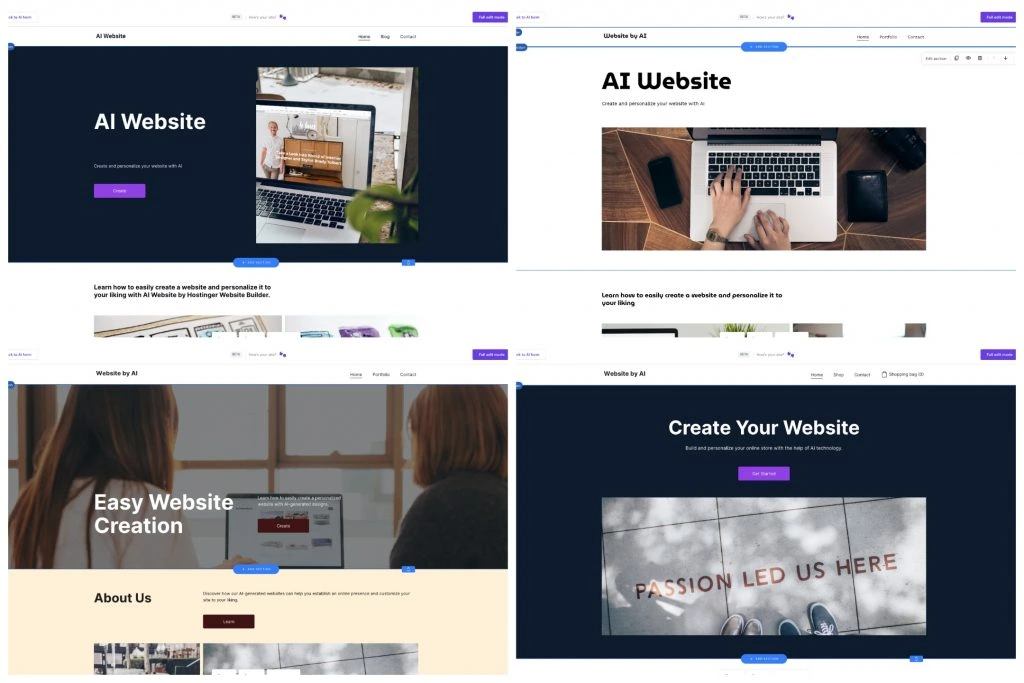
Hostinger Website Builder is a budget-friendly, AI-powered way to get online fast. Describe your business, and the builder generates a draft site in minutes—then you refine it with a simple editor. It’s great for small businesses that want speed, low cost, and built-in hosting without juggling separate tools.
You get an AI website generator, 150+ templates, email marketing, analytics, and a free domain on annual plans. The same subscription covers hosting + builder, so there’s no extra fee for servers, SSL, or basic security. If you need a shop, the eCommerce option adds product catalog, payments, shipping, and tax settings—all inside the same dashboard.
Customization is simpler than Wix/Webflow, but for many small teams that’s a plus—fewer knobs to turn, faster launch. Use it when you value affordability and quick setup over pixel-perfect control.
HOSTINGER WEBSITE BUILDER PRICING (2025)
- Premium Website Builder — from $2.99/month (annual/long-term deals) — AI builder, templates, hosting, free domain (annual), SSL, email marketing, analytics.
- Business / eCommerce — from $3.99/month (annual/long-term deals) — Adds online store features (products, payments, shipping, discounts) with no extra transaction fee from Hostinger.
- Trial / Guarantee — Free 7-day AI builder trial available; 30-day money-back guarantee on paid plans.
Prices shown in USD with typical long-term discounts; renewals are higher. Regional pricing (e.g., INR) varies but includes the same core features.
Keep in Mind: Editor is intentionally simpler—less fine-grained design control than Wix/Webflow; advanced SEO and complex layouts are limited.
Top Tip: Start on Premium to launch the site, then upgrade to Business/eCommerce only when you’re ready to sell—keeps costs down while you validate.
Best Fit For: Budget-conscious small businesses, solopreneurs, and local services that want a fast, clean website (and optional store) with minimal setup and low monthly cost.
PROS
- Highly affordable with AI templates and built-in hosting
- Great value for cost-conscious small businesses
- E-commerce features for small stores.
cons
- Lacks some advanced customization.
- Smaller template library than big players.
7. GHOST
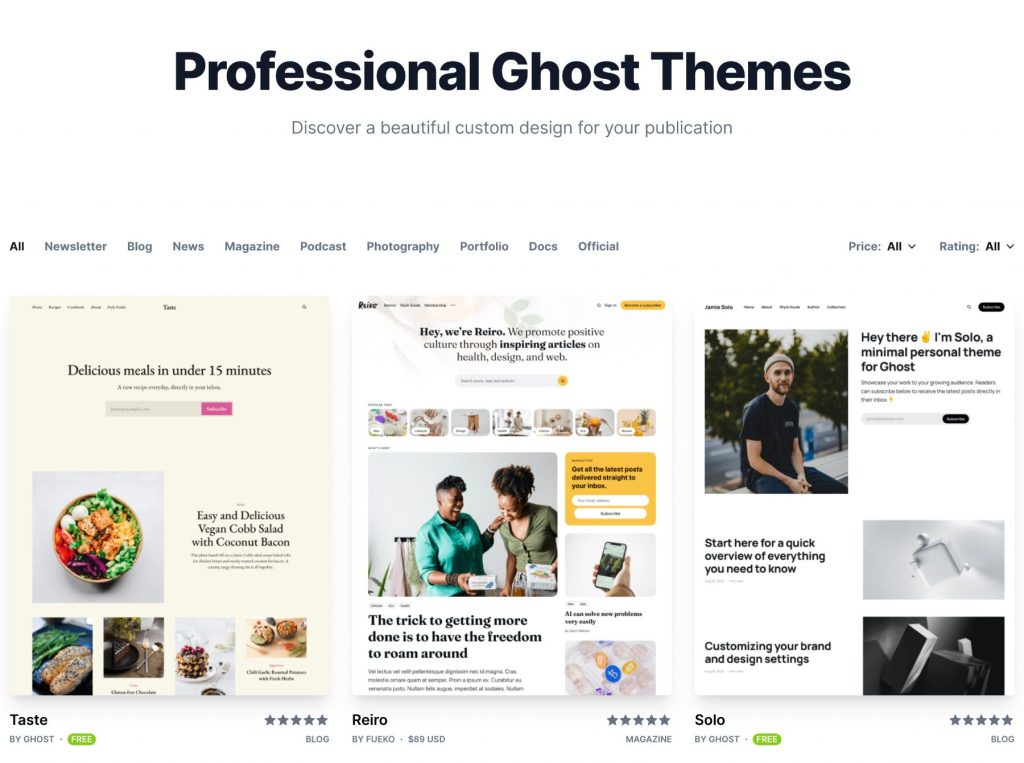
Ghost is a modern, content-first platform designed for writers, bloggers, and creators who want powerful publishing tools with less fuss. It combines a clean publishing experience, built-in membership, and email newsletter features—all within a fast, secure managed service.
You get a distraction-free editor, native SEO settings, automatic newsletters, and membership subscriptions with 0% platform fees. You control your data and payments through Stripe, not held by intermediaries—ideal for creators who prioritize ownership and flexibility.
Ghost requires less maintenance than WordPress and feels more focused. It’s great if you value simplicity, clean design, and monetization—without sacrificing growth potential over time.
GHOST PRICING (2025)
- Starter – $15/month (billed yearly; includes discounted $9/mo for the first 3 months) — Great for solo blogs with basic memberships and up to 1,000 members.
- Publisher – $29/month (billed yearly; $17/mo for first 3 months) — Adds custom themes, advanced analytics, 3 staff users, and membership/mailing tools.
- Business – $199/month (billed yearly; $119/mo for first 3 months) — Best for teams and scaling publishers, with priority support, early feature access, and usage/higher limits.
- Custom – Custom pricing — Enterprise needs such as unlimited staff, dedicated IP, and SLA-backed uptime.
Note: Prices are in USD, billed annually. Includes a free trial and 50% off for the first 3 months. Exact member limits and features apply as per Ghost’s pricing page.
Keep in Mind: Ghost offers deep publishing tools and membership natively—but customization requires theme code work. It isn’t a visual site builder; instead, it empowers content creators with clean editing and fast performance.
Top Tip: Start with the Starter plan to test your newsletter/blog. Upgrade to Publisher when you’re ready for paid memberships and custom design or move to Business as your team and traffic grow.
Best Fit For: Independent writers, blogging professionals, content teams, and creators looking for a fast, membership-enabled CMS that scales with publishers as they grow—without developer overhead.
PROS
- Fast, clean, content-first platform with built-in newsletters and membership
- Streamlined CMS with great editor and publishing UX
- Optimized for blogs, newsletters, and memberships.
cons
- Limited design customization.
- Smaller third-party integration list.
8. KAJABI
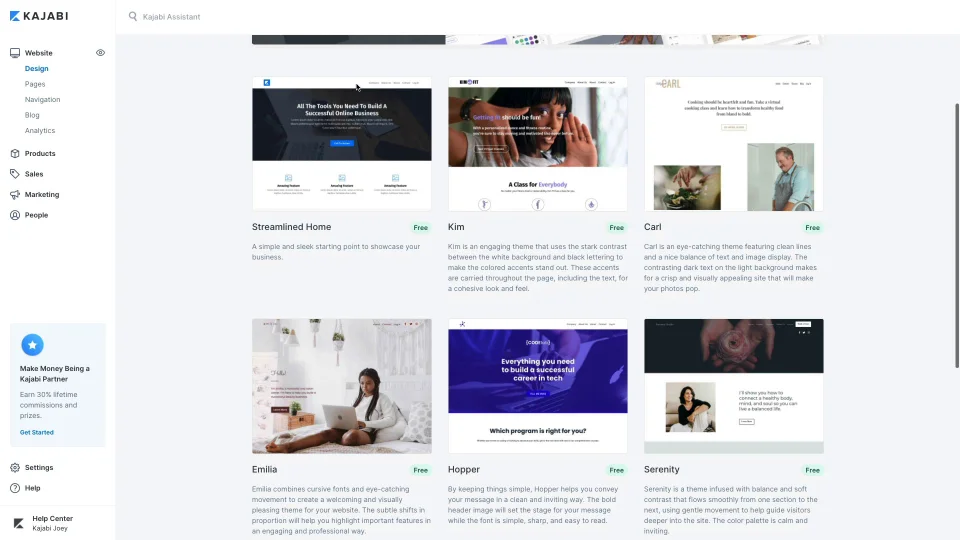
Kajabi is a fully integrated all-in-one platform built for creators, coaches, and entrepreneurs. It combines a visual website builder, marketing tools, courses, communities, and payments—all in a single dashboard. Ideal if you want to avoid juggling plugins and third-party apps.
Drag-and-drop templates are tailored for selling digital products: websites, landing pages, funnels, emails, and memberships. Kajabi comes with built-in CRM, analytics, AI tools, and a mobile app—so everything you need to grow is already available.
Customization options are intuitive yet powerful. While Kajabi maintains simplicity, it’s perfect for creators ready to scale their business without building complex tech stacks.
KAJABI PRICING (2025)
- Kickstarter – $89/mo (billed monthly; ~ $71/mo annually) — 1 website, 1 product, basic community, 7,500 emails, Kajabi AI, templates, 0% transaction fees.
- Basic – $149/mo (billed monthly; ~ $119/mo annually) — 3 products, unlimited landing pages, 10,000 contacts, custom domain, third-party integrations.
- Growth – $199/mo (billed monthly; ~ $159/mo annually) — 15 products, affiliate programs, 24/7 support, unlimited emails, custom branding.
- Pro – $399/mo (billed monthly; ~ $319/mo annually) — 3 websites, 100 products, 100K contacts, code editor, advanced automation.
- Free Trial — 14/30-day trial available depending on promotions.
Note: All pricing shown in USD, billed annually for the lowest rates. Kajabi includes AI, email marketing, courses, and membership tools in every plan—no transaction fees.
Keep in Mind: Kajabi is more expensive, but replaces multiple tools—emails, hosting, funnels, payments, membership software—all in one platform. Design flexibility is limited compared to Webflow or WordPress.
Top Tip: Begin with the Kickstarter plan if you’re starting out. Switch to Basic when you’re ready to scale content and automation. Move to Growth when your audience or affiliate needs expand—Pro is only necessary for multiple sites or advanced customization.
Best Fit For: Edupreneurs, coaches, creators, and small business owners building courses, communities, or memberships who want a self-contained platform to manage marketing, content, and automation—without technical overhead.
PROS
- Single platform for websites, courses, marketing, automation—ease for creators
- Intuitive and powerful even for non-tech users
- Strong support and training resources.
cons
- Higher monthly cost.
- Limited design flexibility compared to open platforms.
9. SQUARE
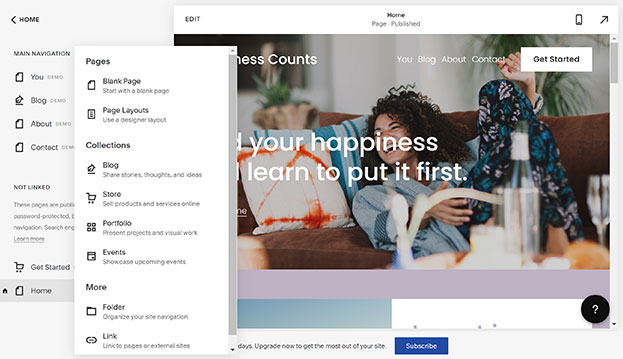
Square Online is an all-in-one website builder seamlessly integrated with Square POS—perfect for small businesses, cafes, restaurants, and retail stores that want both in-person and online selling under one roof.
You get an intuitive web builder with zero coding, product listings, checkout, delivery options, customer accounts, and built-in payment processing. Free templates are available, and everything syncs instantly with Square. Even the free plan lets you get online fast with analytics, loyalty tools, and local delivery options.
While customization options are simpler than platforms like Webflow or Shopify, the tight POS integration, transparent pricing, and ease of use make Square Online ideal for businesses wanting a stress-free e-commerce start without juggling multiple tools.
SQUARE ONLINE PRICING (2025)
- Free – $0/month – Website builder, product listings, Square POS sync, customer accounts, pickup/delivery, social selling; 2.9% + $0.30 per transaction.
- Plus – $29/month (billed annually) – Adds custom domain, branding removal, advanced item settings, subscriptions, and more design control; same transaction rate of 2.9% + $0.30.
- Premium – $79/month (billed annually) – Everything in Plus, plus lower 2.6% + $0.30 transaction fee, real-time shipping rates, and premium support.
Prices in USD, annual billing. Free plan includes limited customization and Square branding. No monthly fees means more budget-friendly entry.
Keep in Mind: Square Online offers easy setup and strong POS integration—but design flexibility is limited. The free plan lacks advanced analytics and custom domains, and templates can’t be deeply customized. Best for businesses wanting to sell fast, not fiddle.
Top Tip: Start on the Free plan to test your store and sync with POS. Once ready, upgrade to Plus for branding and domain control. Choose Premium when real-time shipping and lower fees justify the cost.
Best Fit For: Brick-and-mortar merchants, quick-service establishments, and service providers who need an easy-to-launch online store tightly connected to their physical sales—all with minimal tech and monthly cost.
PROS
- Seamless integration with in‑store POS, fast setup for physical retailers
- Free plan available.
- Secure payments with Square.
cons
- Basic design customization.
- Fewer marketing features than some rivals.
10. NETWORK SOLUTIONS
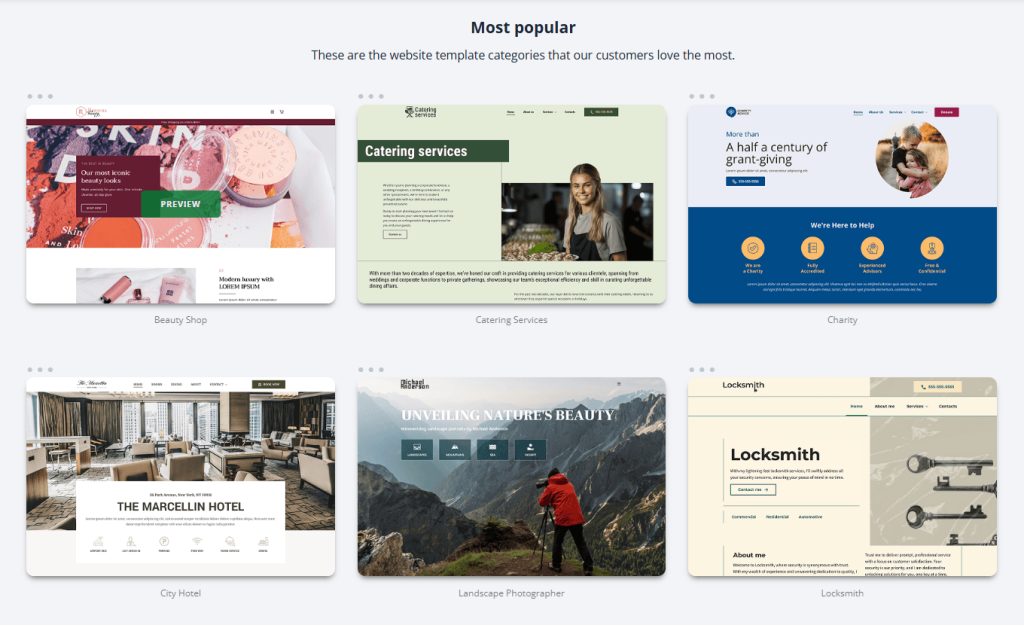
Network Solutions (formerly Web.com) offers a beginner-friendly, AI-powered website builder, making it a fine choice for new small businesses. Its section-based editor allows you to build pages quickly using pre-structured blocks—ideal if you’re looking to launch fast without technical fuss.
You get automatic hosting, free domain for the first year, SSL, and a professional email trial. Choose from 150+ templates, generate AI content, access e-commerce tools, SEO, and analytics—all within a unified platform backed by 24/7 support.
The customization is limited compared to Webflow or WordPress, but the simplicity and AI features are a major plus if you’re after speed and ease of use.
NETWORK SOLUTIONS PRICING (2025)
- Website – $1.99/month (intro, then $16.99) – Hosting, domain, SSL, email trial, basic builder tools.
- Website + Marketing – $3.99/month (intro, then $21.99) – Adds appointment scheduling, social tools, and AI copywriting.
- eCommerce – $9.99/month (intro, then $29.99) – Everything above plus online store functions (checkout, product listings).
Intro pricing is for the first year only. Renewal rates apply thereafter. All plans include hosting, a domain, and support.
Keep in Mind: This builder prioritizes ease over flexibility. While the AI assistant and templates make setup quick, advanced layouts and customization options are limited. Also, pricing jumps significantly after year one.
Top Tip: Start with the Website plan to test the interface. Move to Marketing when you’re ready for scheduling and social push. Switch to eCommerce only if you plan to sell directly online—saving costs while scaling.
Best Fit For: Small service businesses, local shops, and first-time website owners who want a no-hassle building process, AI support, and essential e-commerce tools—without juggling multiple platforms.
PROS
- Simple, AI-assisted builder with domain, hosting, and 24/7 support in one place
- Free domain for first year.
- Templates for different industries.
cons
- Big price jump after first year.
- Limited advanced customization.
Which Website Builder is Best for Your Small Business?
If you’ve made it this far, you know there’s no shortage of great website builder options for small businesses. The truth is—there’s no “perfect” platform from day one. The smartest move is to pick the builder that fits your needs right now and launch.
Over time, your business will grow, your needs will change, and you might switch platforms—and that’s okay. What matters most is getting your business online today so customers can find you, trust you, and buy from you. Momentum beats perfection every time.